
Practical guide · Feeding
Automatic cat feeder missed meals: timing, power and blockage checks
Check a missed feeder meal by confirming food access, clock, enabled meals, power and supported blockage care. Separate a machine fault from a cat not eating.
The short answer
Confirm delivery first, then check settings and mechanism
First make sure the cat has suitable food and determine whether the feeder failed to deliver or the cat did not eat. Then check the actual clock, enabled meal, mode, power and food path in that order. Use the exact model’s instructions for any blockage or alignment work. Stop relying on a feeder until a supervised scheduled meal works normally; do not compensate with unmeasured extra feeds.
A bowl that is empty at the expected time does not identify the cause. Food may never have arrived, another cat may have eaten it, or the intended cat may have left a delivered meal untouched. Start by separating those situations before changing settings.
Keep the cat’s feeding needs covered while you investigate. An automatic feeder is equipment, not a reason to delay a meal or overlook a change in appetite. Use a reliable supervised arrangement until the cause is understood and normal scheduled operation has been demonstrated.
Establish what actually happened
Look at the bowl, remaining food and any accessible compartments. Ask whether someone pressed a manual control, changed a battery or served a meal separately. In a multi-cat home, check who could reach the bowl. A hopper feeder normally does not identify individual cats.
Record the expected delivery time, what the display showed and what you found. A photograph of the settings and a short written note can help avoid losing the original problem while experimenting. Do not reset everything immediately: that can erase a useful clue.
If food was delivered but not eaten, check its freshness, bowl access and the cat’s behaviour. New reluctance to eat belongs with the vet, especially when accompanied by other changes. A different portion setting cannot resolve illness or another cat blocking access.
Check clock, meal and operating mode
Confirm the displayed current time against the actual time. In 12-hour mode, inspect AM and PM rather than just the hour. Recheck after a clock change, a reset or a battery interruption; do not assume an offline feeder adjusts itself.
Next inspect each intended meal. A visible time is not always enough: on the C3000, a meal size of 00 disables that meal. On the C500, an unused time appears as --:--, and normal-mode OFF stops operation while preserving the programme.
| Check | C3000 dry-food hopper | C500 rotating tray |
|---|---|---|
| What controls quantity? | Feed units for each meal | Food weighed into each compartment |
| A disabled meal | Meal size 00 | Time cancelled to --:-- |
| Schedule capacity | Up to three daily meals in normal mode | Up to four daily repeating meal times |
| A common source of confusion | Advance Feed replaces the next scheduled meal | Next actual clock time determines the next opening |
Check the selected operating mode too. The C3000 has manual and frequent-feed functions as well as its normal three-meal programme. If someone changed modes, the old timetable may no longer describe what the machine is doing.
Check whether an early feed explains the gap
For the C3000, FEED + PLUS is Extra Feed: it adds feed units without cancelling future scheduled meals. FEED + MINUS is Advance Feed: it serves the next scheduled meal of the day early, so that meal is not delivered again at its original time.
Those two actions can create opposite problems if confused. One may add an unintended extra portion; the other may explain an apparently missing later meal. Use the manual for the exact model and avoid transferring button combinations to another feeder.
The C3000 is included as a concrete example, rather than a recommendation to replace an unexplained faulty unit immediately.
Local battery controls
Cat Mate C3000 dry-food feeder
A battery-powered hopper feeder with local LCD controls and up to three individually sized timed meals a day. It is a straightforward choice when you want dry-food dispensing without an app.
Check: Kibble output needs checking with your actual food
View on Amazon ↗Check the supported power supply
Look for a low-battery indicator and signs of an interrupted display. The C3000 uses four C batteries; the C500 uses three AA batteries. Follow the model’s instructions for battery type and replacement, and replace the required set together.
For a plug-in feeder, check the supplied adaptor, dry connections and any supported backup arrangement. Do not assume an unrelated USB adaptor is suitable because the connector fits. A damaged lead, wet electrical base or corroded battery compartment is a reason to stop and contact the maker.
After any interruption, verify time, meals and mode. A clock that still displays digits may be wrong, and a saved meal size may not prove the current time survived. Observe the next real scheduled event once the system has been restored.
Inspect the food path without forcing the mechanism
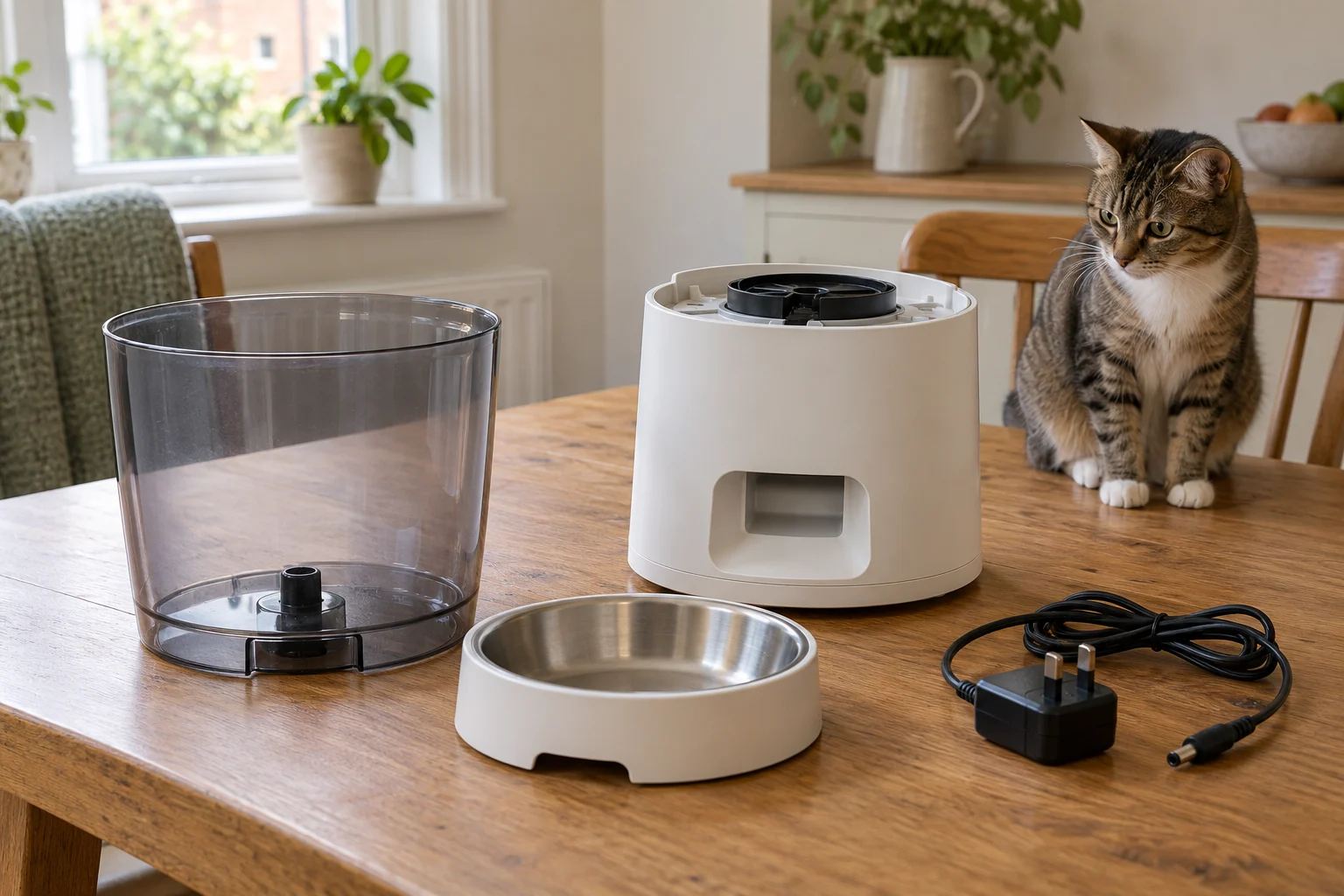
For a hopper feeder, check whether it contains compatible dry food, whether the hopper is correctly seated and whether crumbs or a bridge of kibble are preventing flow. The C3000 manual specifies dry pieces no larger than 16 mm. Moist food or an unsuitable shape can create problems that a larger portion setting will not fix.
Keep the cat away while investigating. Follow the exact manual’s disassembly and jam-clearance sequence; do not put fingers into a powered mechanism, force the motor or pour water into the base. The C3000 manual treats a flashing whole display as a possible uncleared jam, not simply a low-battery message.
If the maker’s accessible checks do not restore free operation, contact support with the model, food details and observed display. A repeatedly jammed feeder needs a reliable alternative feeding arrangement while the cause is resolved.
Check a compartment feeder differently
A C500 does not push kibble through a hopper. Inspect correct tray alignment, lid engagement and whether food has been piled high enough to obstruct rotation. Remove and refit parts only as the manual describes; do not force the tray round by hand.
The programmed times repeat daily and sort chronologically. The next opening follows the next scheduled clock time after the current time, not necessarily the time labelled MEAL 1. Use the C500 schedule guide to work through the tray order.
For several meals
Cat Mate C500 five-meal feeder
A rotating tray with one compartment open initially and four scheduled openings. A sensible starting point when you want several pre-portioned meals without an app.
Check: Ice packs require preparation
View on Amazon ↗Prove the repair with a supervised meal
Once the cause is corrected, collect a test delivery and then observe an actual scheduled meal. Confirm the amount, timing, access and intended cat. One successful button press does not prove the normal schedule is working.
For a hopper, use portion-size checks if the amount has changed or you have changed food. For cleaning and reassembly, use how to clean an automatic feeder. Keep a simple note of the corrected setting so another household member does not repeat the same change.
If failure recurs, stop relying on the machine and contact the manufacturer. The practical endpoint is dependable feeding, not an endlessly repeated reset.
The model-specific distinctions come from the C3000 instructions and C500 instructions.
Frequently asked questions
Why did my automatic feeder skip a meal?
Possible causes include an incorrect clock or AM/PM setting, a disabled meal, a different operating mode, weak power, unsuitable food or a blockage. First establish whether food was delivered and removed by another animal. A cat refusing delivered food is a different concern from the machine failing to serve it.
Why does a Cat Mate C3000 show a meal time but serve nothing?
Check the meal size as well as the time: a size of 00 disables that meal. Also check whether the next meal was served early with Advance Feed, which replaces its scheduled delivery. The exact C3000 manual explains these functions; they are not C500 controls.
Should I press the feed button repeatedly after a missed meal?
Avoid repeated unmeasured deliveries. First provide food according to the cat’s established plan, then investigate the feeder with test food kept separate. Extra-feed controls can add food without cancelling the next scheduled meal, depending on the model.
Can a feeder lose its clock after a battery change?
It can if the model’s retention conditions are not met, or if it resets. The C3000 and C500 manuals specify a short battery-change window and no button presses while batteries are out. Always verify the clock, all meal settings and normal operating mode afterwards.
When should I stop troubleshooting and contact the vet?
If the machine delivered food but the cat is not eating, appears unwell or cannot access food comfortably, contact the vet rather than treating it as a scheduling problem. Difficulty breathing, collapse or other urgent signs need urgent care. Do not delay necessary food or veterinary help while repairing equipment.